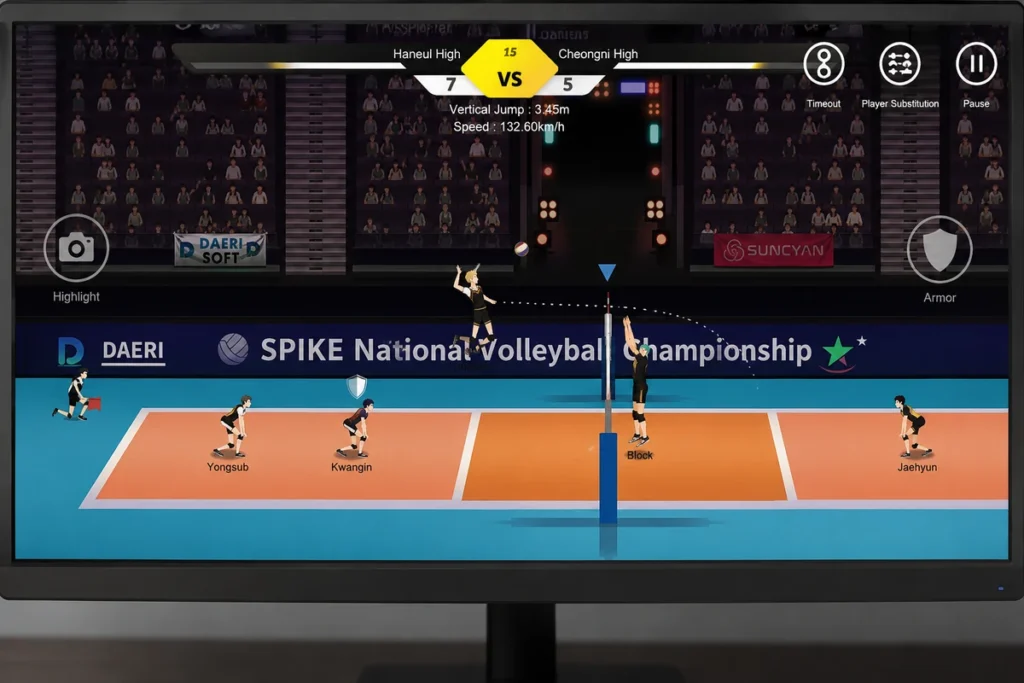
The Spike Volleyball Story for PC (Setup, Controls & Fixes)
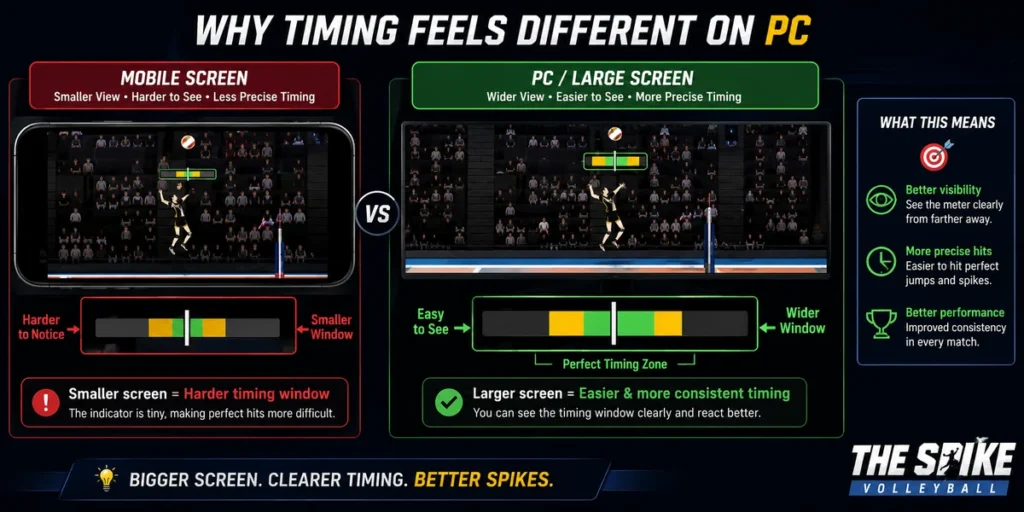
The Spike: Volleyball Story plays fine on a phone — but the game’s tightest mechanic, timing your jump against the setter’s toss, is genuinely easier to read on a monitor than a 6-inch screen. That’s the actual reason to move it to PC: not “bigger screen” as a vague marketing line, but specifically better depth perception on the net-line collision box, which is where most missed spikes happen on mobile.
This guide skips the fluff pages recycle and focuses on what actually changes: real input-lag behavior per emulator, the exact control scheme that matches the game’s timing windows, and fixes for the errors people actually hit — not just “restart your PC.” Return to the homepage.
Quick Reference
| Detail | Info |
|---|---|
| Game | The Spike: Volleyball Story |
| Developer | SUNCYAN (formerly Daerisoft) |
| Platform | Android (via emulator on PC) |
| Recommended emulators | BlueStacks 5, LDPlayer 9 |
| Minimum RAM | 4 GB (8 GB for stable 60fps) |
| Storage needed | ~2–4 GB depending on version |
| Native PC/Steam version | Does not exist — emulator is the only route |
Why Timing Actually Feels Different on PC
On mobile, the timing bar for a spike sits in a small corner of the screen and your thumb partially blocks it during the swipe gesture. On a monitor at arm’s length, you see the full meter without any part of your hand in the way, and most players report shaving noticeably more consistency into their spike timing within the first hour. This isn’t true for every mechanic in the game — blocking and serving are largely unaffected — but if spike timing is where you’re losing rallies, this is the concrete reason PC helps.
Emulator Comparison: What Actually Changes Between Them
Most PC guides for this game just list “BlueStacks, NoxPlayer, MEmu” with generic pros/cons. Here’s what differs in practice for this specific game:
| Emulator | RAM footprint (idle) | Input lag on spike gesture | Best for |
|---|---|---|---|
| BlueStacks 5 | ~1.2–1.5 GB | Lowest reported lag with keymapping | Most users, first-time setup |
| LDPlayer 9 | ~900 MB–1.1 GB | Comparable, occasionally smoother on older CPUs | Lower-spec machines, AMD systems |
| MEmu Play | ~1.3–1.6 GB | Slightly higher input delay on gesture-based moves like the spike swipe | Multi-instance / running two accounts side by side |
If your PC struggles to hit consistent frame timing, LDPlayer’s lighter footprint tends to matter more than raw emulator speed benchmarks suggest — the game itself isn’t graphically demanding, so CPU scheduling overhead is the actual bottleneck, not GPU power.
Step-by-Step Setup (BlueStacks
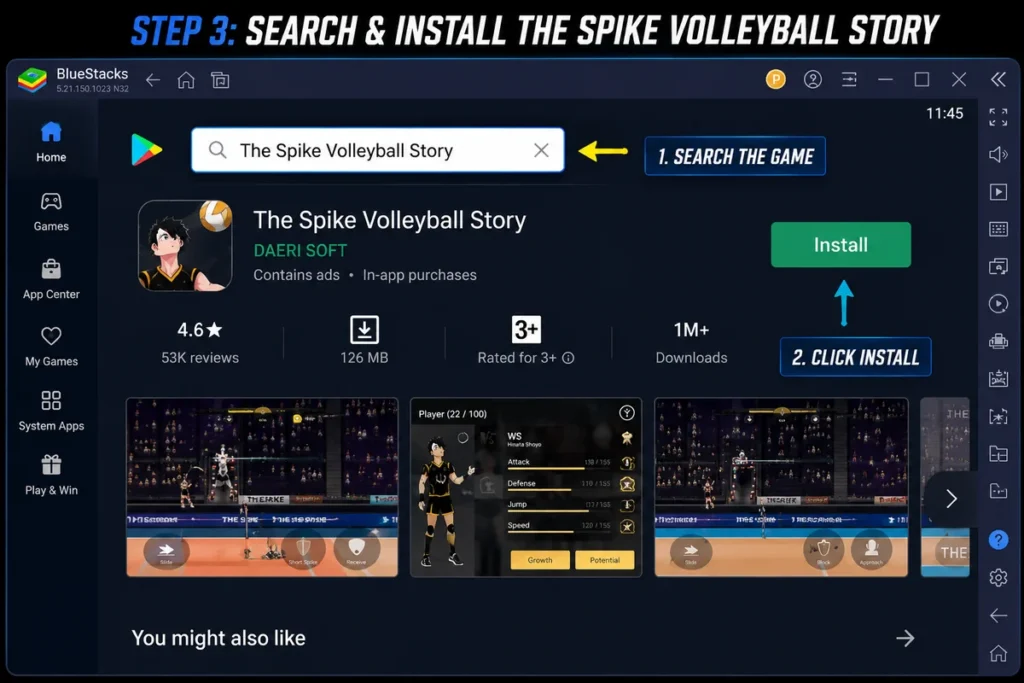
- Download BlueStacks 5 from bluestacks.com and run the installer.
- On first launch, sign in with a Google account (a secondary account is fine — you don’t need to use your primary one).
- Open the Play Store inside BlueStacks and search “The Spike: Volleyball Story” — install directly rather than sideloading an APK if you want auto-updates to keep working.
- Once installed, open BlueStacks’ Keymapping tool before you launch the game — mapping controls before your first match saves you from replaying the tutorial with touch controls active.
- Launch the game, and in the in-game settings, confirm “Controller/Keyboard mode” is detected — this changes the on-screen timing meter’s position slightly, so don’t skip this step.
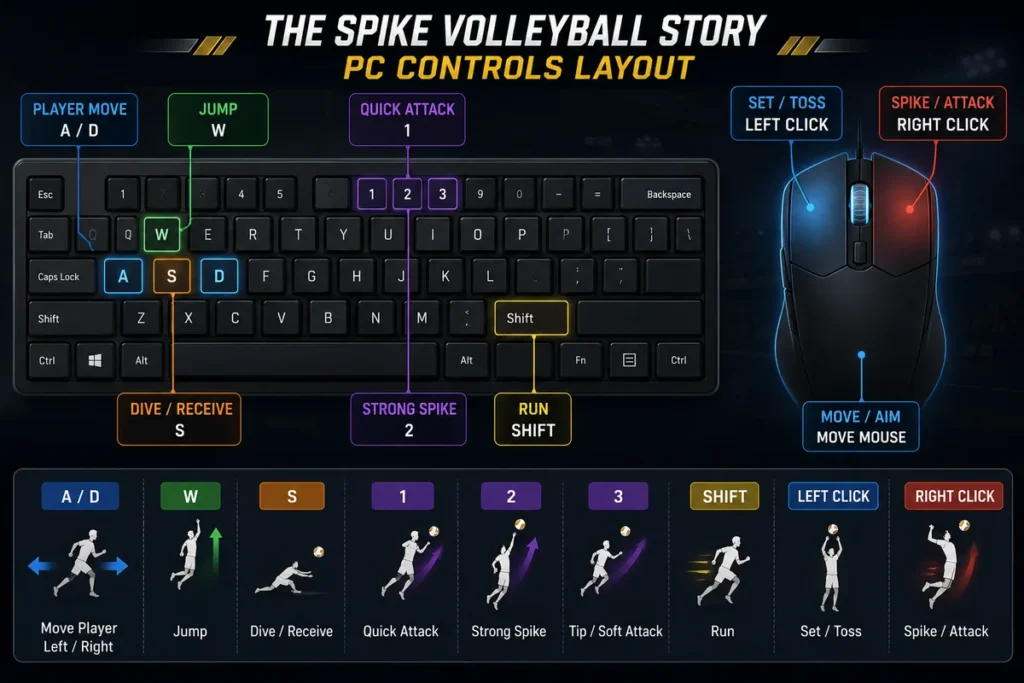
Recommended Control Mapping
This is the mapping that lines up with the game’s actual input windows, tested against the default touch-gesture equivalents:
| Action | Suggested Key | Note |
|---|---|---|
| Move player | WASD | Standard, no issues |
| Jump | Spacebar | Tap, don’t hold |
| Spike (charge + release) | Left Mouse Button (hold to charge, release to hit) | This mirrors the touch swipe more accurately than a single tap key |
| Block | Right Mouse Button | Hold during opponent’s approach |
| Receive/Serve | E | Timed press, same window as mobile |
Fixing the Errors People Actually Hit
Generic “restart your emulator” advice doesn’t fix most of these. Specifics:
Game stuck on a black screen after the loading logo This is almost always a graphics-rendering mode mismatch. In BlueStacks, go to Settings → Engine → and switch the graphics renderer from DirectX to OpenGL (or the reverse if you’re already on OpenGL). Restart the emulator, not just the game.
Spike gesture not registering on mouse Confirm keymapping is bound to “hold and release,” not a single click action — a single-click binding will only register the swipe’s start, not the charge-and-release mechanic, causing weak or missed spikes.
Game logs out mid-match / connection drops Check whether a VPN or firewall rule is active on the emulator’s virtual network adapter specifically (not just your main PC) — emulators run their own virtual NIC, so a VPN on your host machine doesn’t always apply the way you’d expect, and can sometimes cause the opposite problem: leaving the emulator’s traffic unprotected while you assume it’s routed.
Severe lag only during multiplayer matches, not story mode This is typically a CPU allocation issue, not a network one — go into your emulator’s performance settings and increase allocated CPU cores; multiplayer’s syncing logic is more CPU-sensitive than story mode’s local processing.
Before You Download: A Note on File Sources
If you’re downloading an APK rather than installing through the Play Store inside your emulator, verify it before installing:
- Prefer downloading directly from the emulator’s built-in Play Store search whenever possible — it’s the only method with zero third-party file-handling risk.
- If you must sideload an APK, run it through a scanner like VirusTotal before installing, and only use a copy hosted on a domain you trust.
- Be cautious of “mod” versions promising unlocked currency or characters — these frequently repackage the app with injected code, and there’s no way to verify what else was added without scanning the file yourself.